

There are a couple of interesting ways you can search and apply for jobs on Youth4work.
1 — Jobs through your Dashboard
- This works if you already logged in and you are on your Dashboard.
- Youth4work’s intelligent system directly recommends you jobs matching your talents in your dashboard (you need to update your talents accordingly in your profile).
- Click on ‘Jobs’ icon on the left control panel to see all the jobs matching your talents.
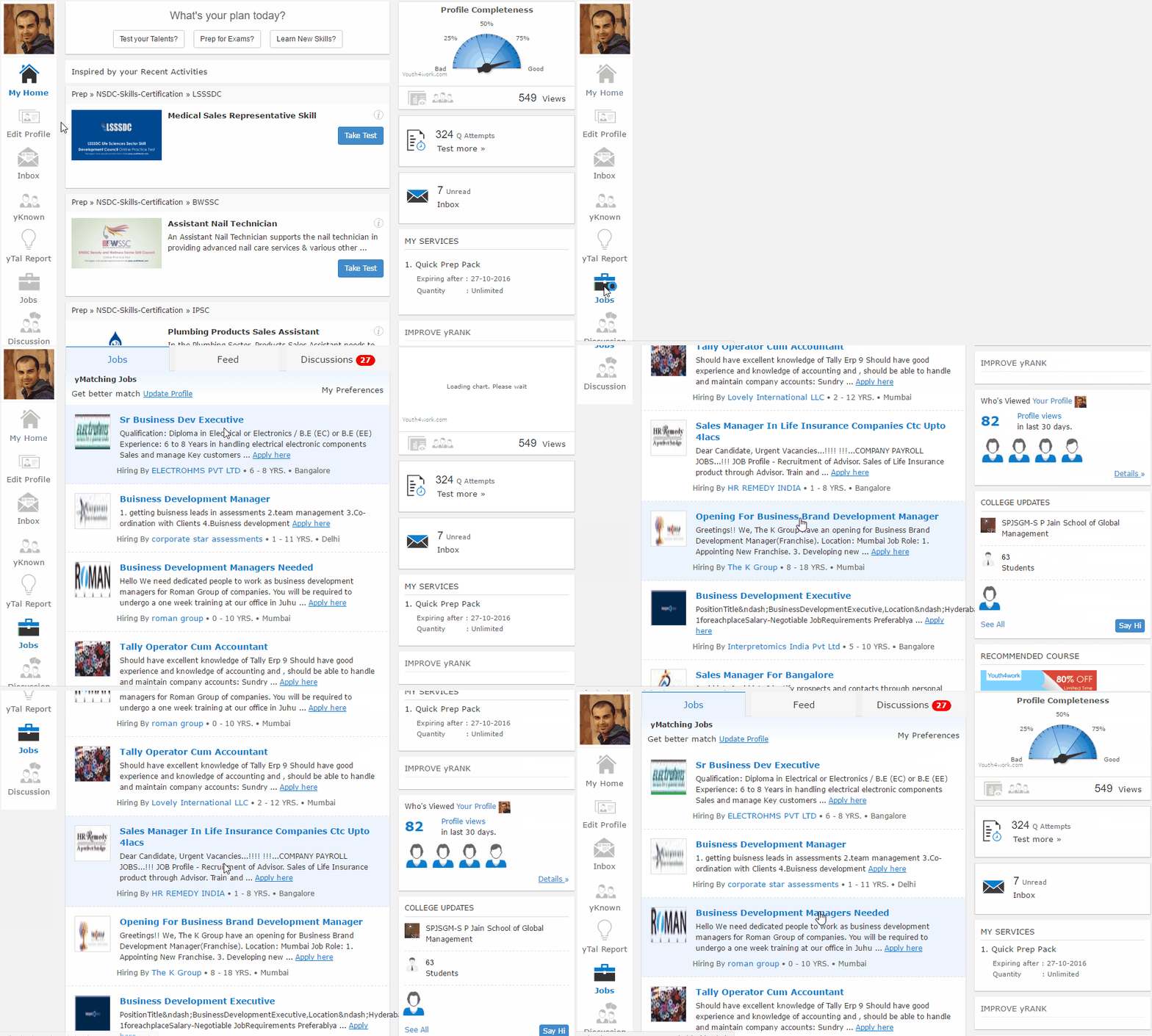
- For each Job Recommendation, you see:
Job title | Short description | Company who has posted the job | Work Experience demanded by the company | Job Location
- Click on the Job Title or ‘Apply Here’ link to see more details of the job — detailed description, education qualifications, talents required, etc. — and then apply if you find it interesting.
- The company gets an notification about your application and the recruiting / HR manager processes it as per their requirements.
- If you have filled up your Talent Profile properly, the job recommendations will be more relevant.
Get Youth4work’s stories in your inbox
Join Medium for free to get updates from this writer.
Remember me for faster sign in
2 — Jobs through Custom Search
- If you are in any other section of the platform and want to search for jobs, click on ‘Youth4work Careers’ from the header drop-down as shown below:

- You will land on the job search page. Youth4work empowers you to search jobs based on your talents.
- Choose your job-type, enter your talent and location where you wish to search job. Click on Find.
- Click on the Job Title or ‘Apply’ button to see more details of the job — detailed description, education qualifications, talents required, etc. — and then apply if you find it interesting.
- As soon as you apply to any job, the company gets a notification and your application gets under review.
3 — Jobs through Notifications
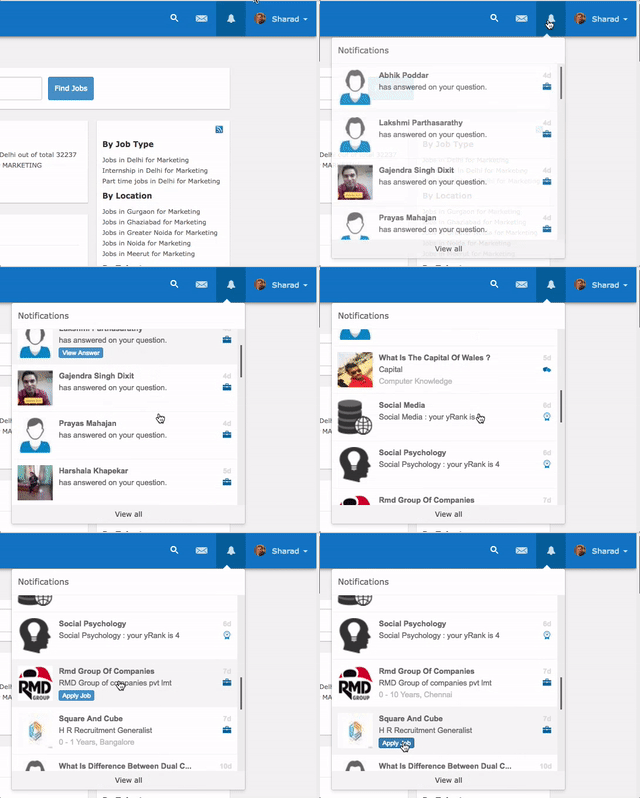
- When you log in, on top-right you will see your notification bell.
- Click on the Notifications and scroll down to view any recommended jobs for you.
- Click ‘Apply’ button on the job that you feel is relevant.