
Get Unlimited Access to All Questions
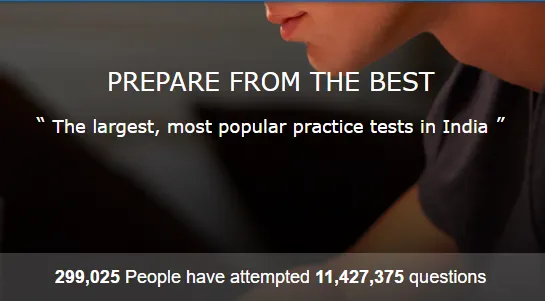
Youth4work Prep Tests are additional practice material designed for people preparing for various competitive exams. Prep Tests help people to practice various topics or sections of any exam and understand their strong and weak areas to improve performance.
Why to upgrade for Youth4work Prep Tests?
- Nearly 3 Lakh people are practicing through Youth4work Prep Tests and have made nearly 11.5 Million question attempts till date.
- People can attempt first 50 questions for free and check their performance reports, after which they would have to upgrade to any 1 of the 3 available subscription plans when prompted.
- With any upgrade pack, you get an unlimited access to all questions of one or more exams for a specific period.
Here’s a step-by-step guide to Upgrade your account for Prep:
Step 1 — Go to Prep Upgrade page
- You can do this by clicking on ‘Upgrade’ (in red color) in any of the Prep pages (apart from testing scenario)
- Else, you can reach to the upgrade page directly through the links in emails or sms communications you receive.
- On the Upgrade page, you will see the 3 subscription packs— for 1 Month, 3 Months and 6 Months. Each pack will give you unlimited access to all the questions (over 2 Lakh Qs) from 220+ different exams.
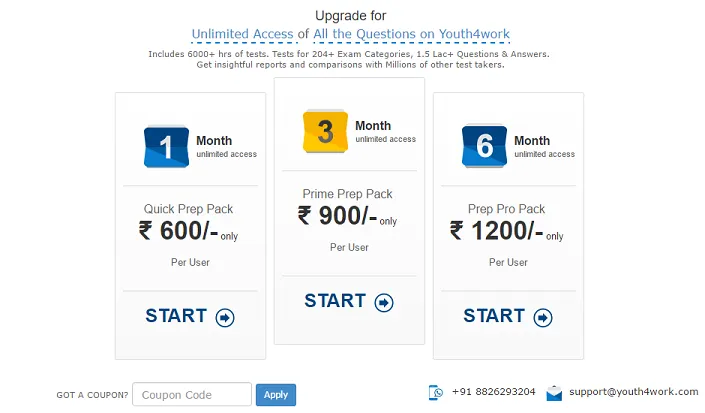
- If you have any Coupon code / Promo-code for Prep upgrade, enter the code in the box and click Apply button to get exciting discounts. Refer this article.
Step 2 — Choose your Subscription Pack
- Based on your requirements, choose your pack and click on ‘START’.
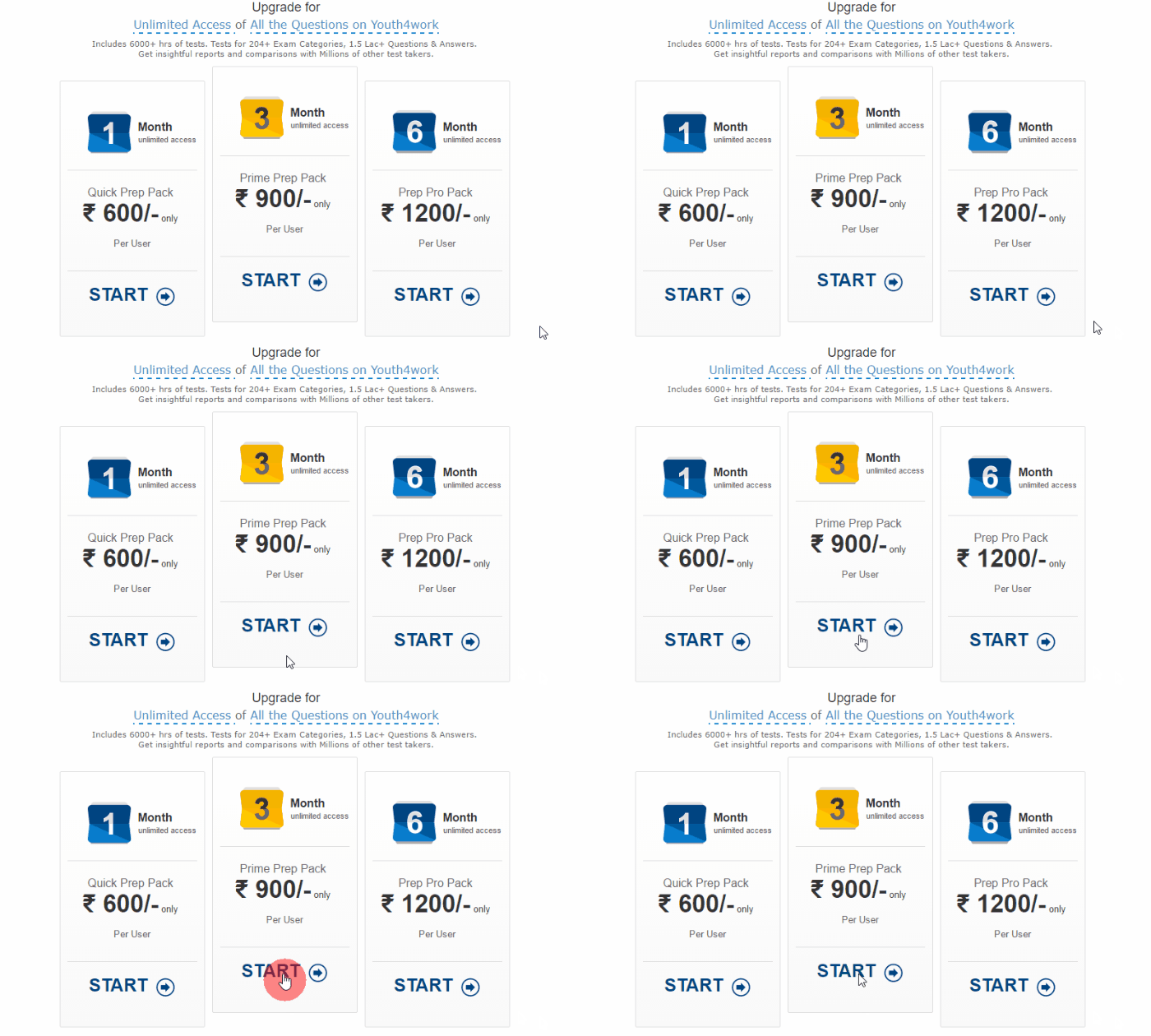
- When you click on ‘Start’, a new page with payment details and process opens up as below:
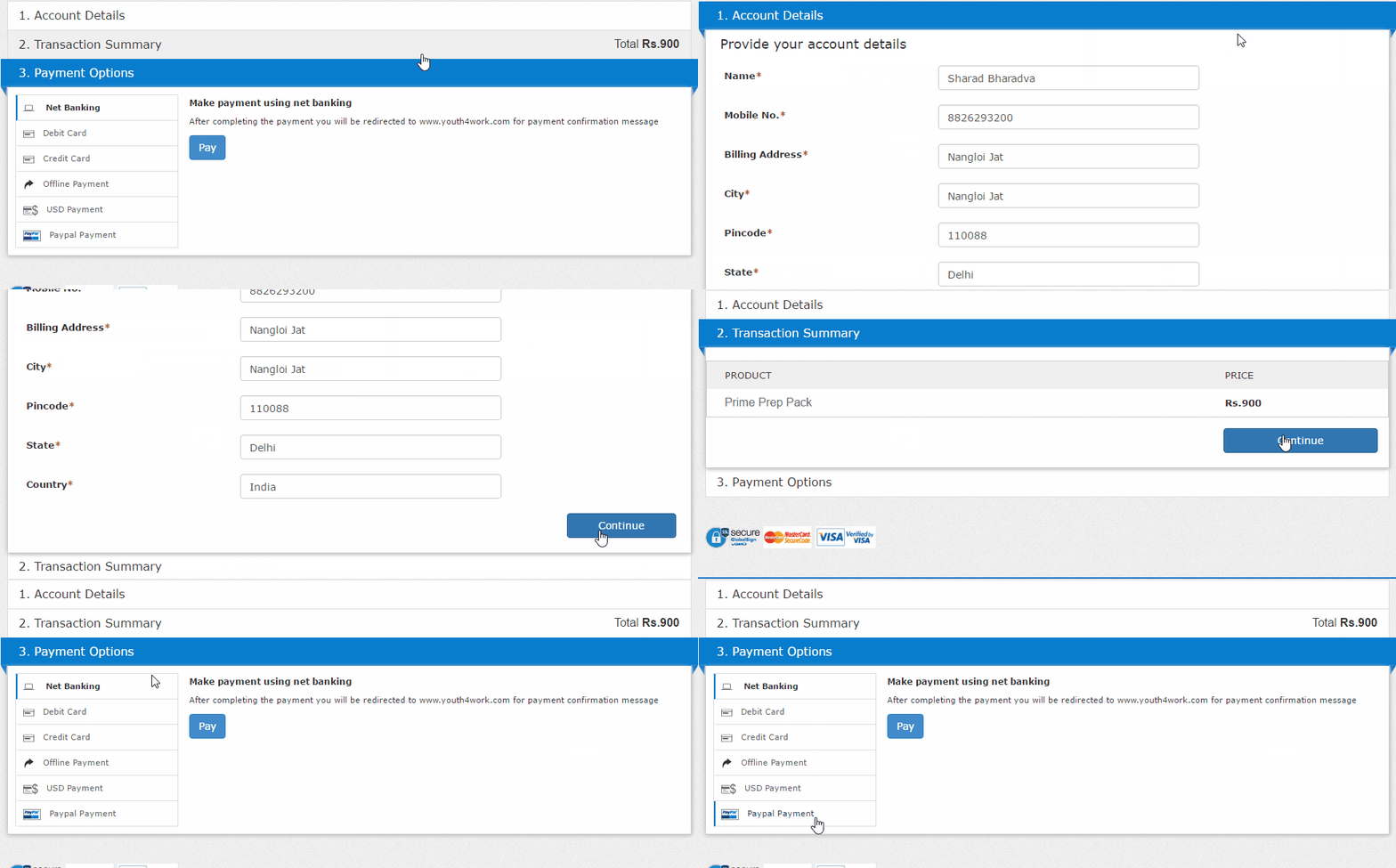
- Here, you can confirm your Account Details — i.e. your name, billing address and contact number, confirm your Transaction Summary — i.e. Prep Subscription pack amount and then opt for any of the payment options.
- Based on your selection of Payment option, the next step will differ from any other user.
Step 3 — Choose your Payment Option
There are 5 different payment options on Youth4work.
3.1 — Net Banking payments on Youth4work
- This is the first default option. Click on ‘Pay’ with Net Banking option.
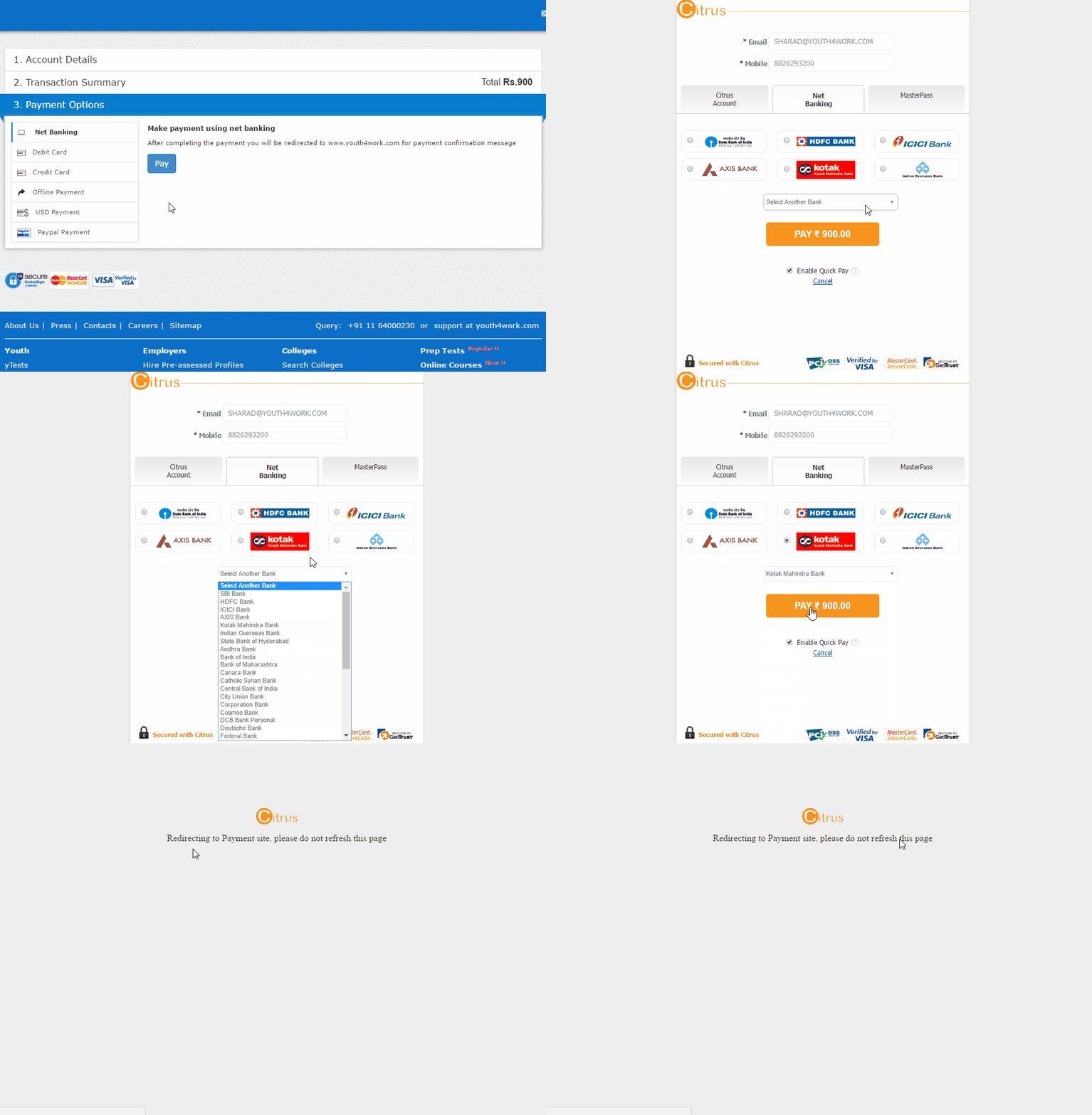
- This takes you to Citrus Payment Gateway for Youth4work, where your email address and mobile number details are mentioned from Youth4work account.
- Choose your bank from which you will do the internet banking transaction and click on Pay Amount (orange button)
- It will redirect you to your bank’s net banking page.
- Enter your account / login details of your respective bank when asked and confirm the transaction when asked. This is a secured transaction and Youth4work doesn’t store any of your banking data.
- After your bank confirms, you will get redirected to Youth4work’s payment confirmation page/pop-up, and you can start your Unlimited Prep.
- It might take few seconds to redirect to and from your bank depending on your internet connection speed and bank’s gateway response. Kindly wait till your bank’s page loads. Do not refresh the page or press ‘back’ button of the browser. This will lead to cancellation of current transaction.
3.2 — Debit Card or Credit Card payments on Youth4work
- Most of the users pay through a Debit Card or Credit Card. Click on any option, process for both is same. This is like any another online purchase on any e-commerce sites.
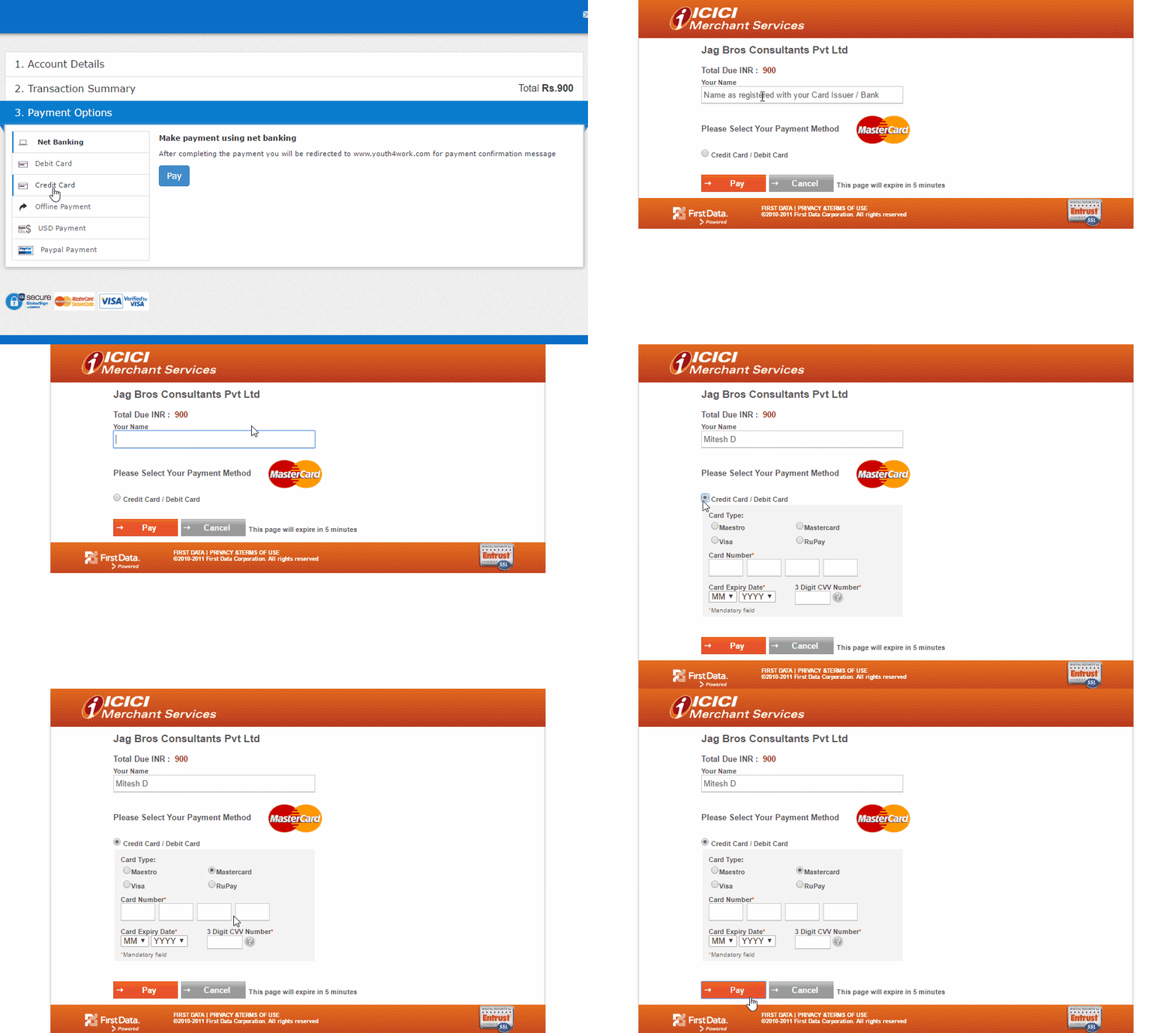
- It is important to note that a user doesn’t need to have an ICICI Bank account to proceed further. This is ICICI merchant gateway for of Jag Bros Consultants Pvt Ltd — that’s the name of Youth4work’s parent company account with ICICI Bank. ICICI Merchant Services just provides payment solutions to Youth4work.
- User can pay through debit/credit card of any bank, provided the card is powered by Maestro, Visa, MasterCard or Rupay. American Express cards are not accepted by Youth4work’s ICICI payment gateway.
- Enter your debit/credit card number in the relevant boxes, choose card expiry dates and enter your CVV number (3 digits on back of your card).
- Click on Pay (orange button). The payment page gets expired in 5 minutes from the time you started the process.
- After you click Pay (orange button), you would enter a secured transaction page of banking transaction services of where you have to enter a One Time Password (OTP).
- Either your bank automatically sends you a One Time Password (OTP) — 4 digits or 6 digits —or you need to click on Generate/Request OTP option. You get the OTP on your mobile number which is registered with your bank.
- Enter the OTP and confirm the transaction.
- After your bank confirms the transaction, you will get redirected to Youth4work’s payment confirmation page/pop-up, and you can start your Unlimited Prep.
- It might take few seconds to redirect to and from your bank depending on your internet connection speed and bank’s gateway response. Kindly wait till your bank’s page loads. Do not refresh the page or press ‘back’ button of the browser. This will lead to cancellation of current transaction.
3.3 — Offline Payments on Youth4work
- Few people are not able to make online payments due to constraints of internet connection or not having online banking authorisation.
- There are 2 ways you can upgrade your Prep account by offline payment.
3.3.1 — Direct Deposit in any of the three (3) bank accounts
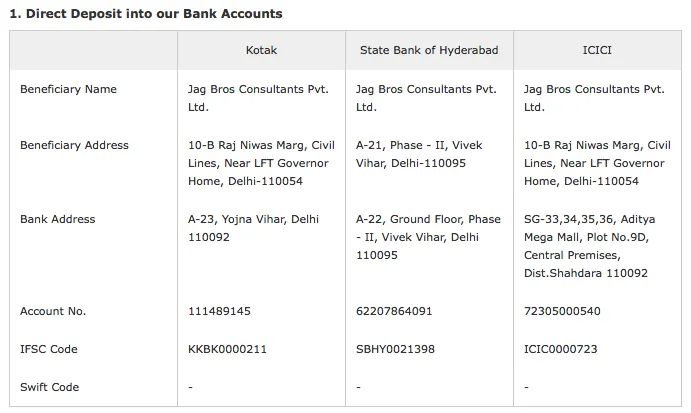
- Kotak Mahindra Bank, State Bank of Hyderabad or ICICI Bank, using the account details given in above table.
- After depositing the amount, share the picture or scanned copy of receipt from the bank with Youth4work Prep Team on [email protected]
- As soon as we confirm the receipt of payment in our accounts (usually takes 12–48 hours), your account will be upgraded by Youth4work Prep Team.
3.3.2 — Cheque or Demand Draft
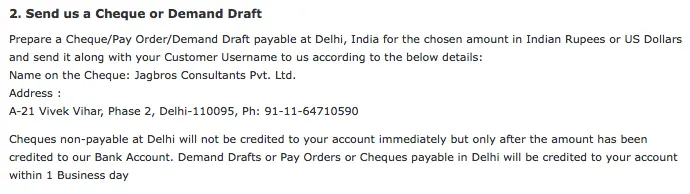
- Users can also send a cheque or DD of the amount (with or without discounts as applicable) drawn in favor of the beneficiary ‘Jag Bros Consultants Pvt. Ltd.’ (Youth4work’s parent company) to the address mentioned above.
- As soon as the cheque or DD is cleared by our banking partners, your account will be upgraded by Youth4work Prep Team.
3.4 — USD Payments on Youth4work
- If any user (domestic or international) wishes to upgrade his/her account by paying in US Dollars, he/she can select the USD payment option.
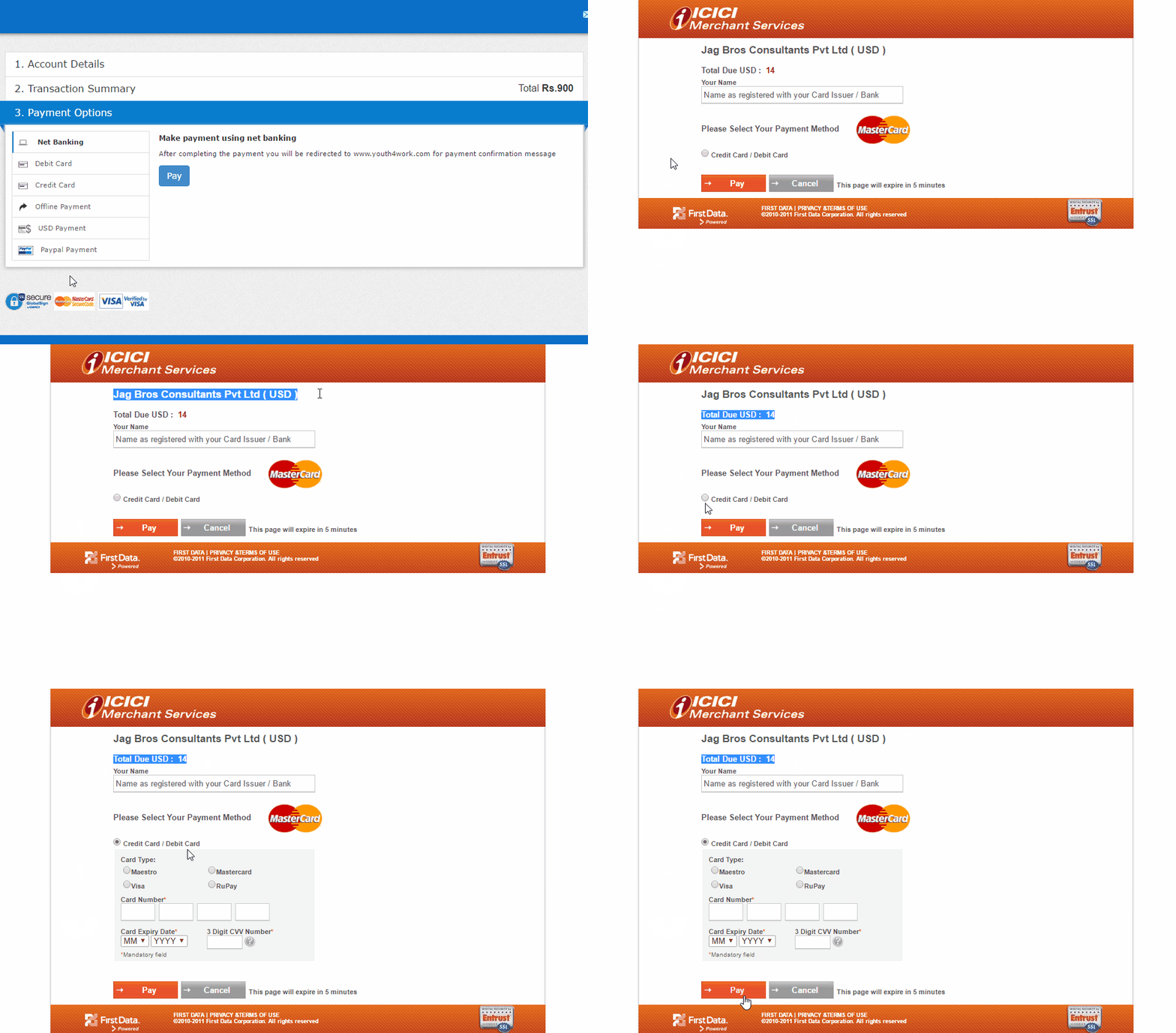
- This option is same as choosing Debit/Credit Card payment option and opens the ICICI Merchant Services gateway for Youth4work.
- Only change is, the system converts the Indian Rupees into US Dollars (rounded off to upper integer) and shows you at the top along with the beneficiary name.
- Enter your card details in relevant boxes and(American Express not accepted) and hit Pay button (in orange).
- The next steps are same as Debit/Credit card — OTP generation and confirmation.
- After your bank confirms the transaction, you will get redirected to Youth4work’s payment confirmation page/pop-up, and you can start your Unlimited Prep.
- It might take few seconds to redirect to and from your bank depending on your internet connection speed and bank’s gateway response. Kindly wait till your bank’s page loads. Do not refresh the page or press ‘back’ button of the browser. This will lead to cancellation of current transaction.
3.5 — PayPal Payments
- International users can also make payments for Prep Upgrade via their PayPal accounts. Youth4work accepts payments via PayPal easily.
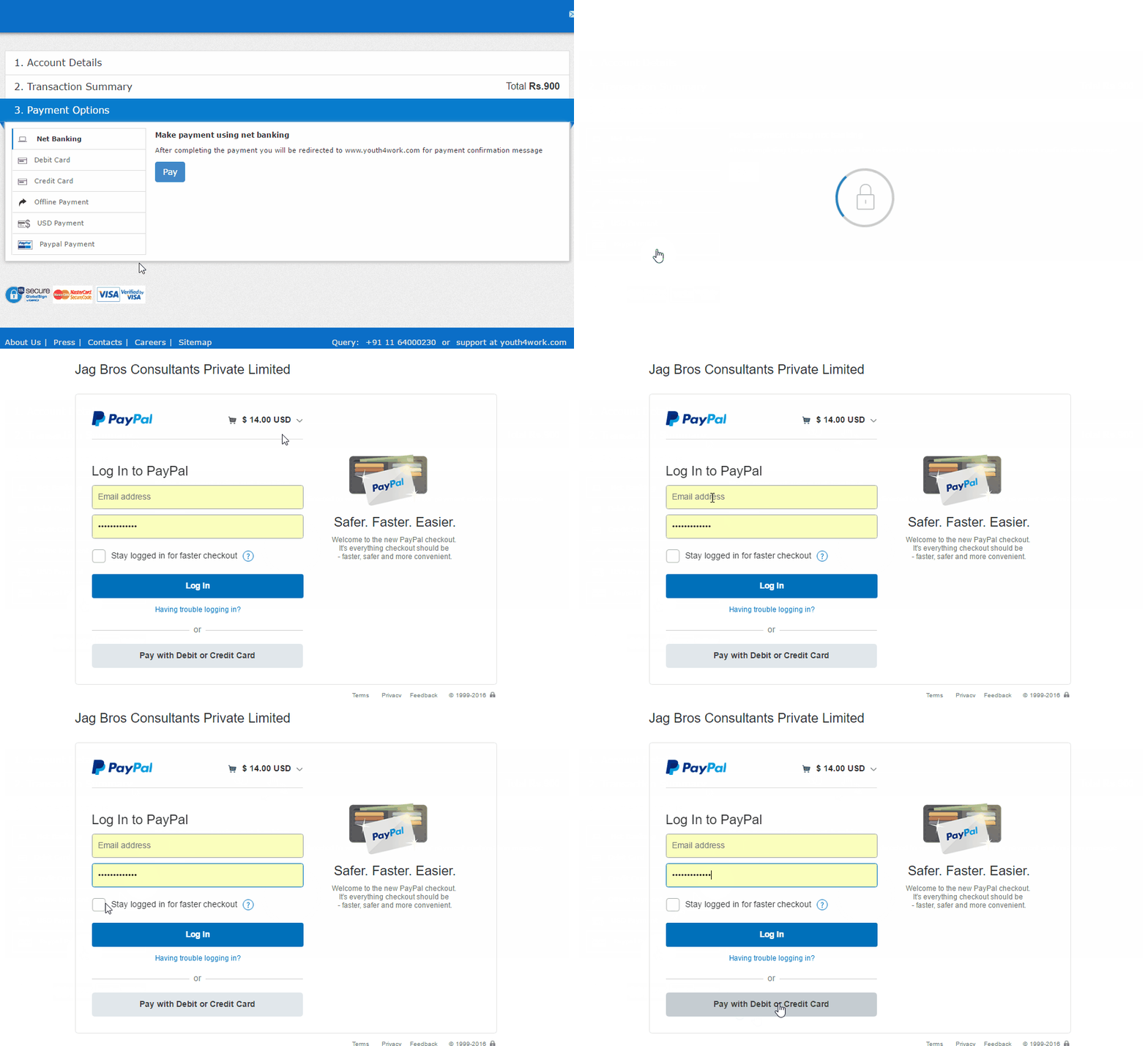
- Paying through PayPal is only valid and active for user outside India, as per PayPal policies. Indian users cannot pay to any merchant within India via PayPal and have to use other payment options available.
- Choose the ‘PayPal Payment’ option from the left side options.
- You get directed to secured PayPal transaction page. Check the merchant name and amount payable at the top.
- Enter your PayPal login details to pay via your PayPal account or choose the ‘Pay with Debit or Credit Card’ option to make card payment via PayPal.
- After the transaction, you will get redirected to Youth4work’s payment confirmation page/pop-up. In case you do not get a confirmation page/pop-up, write into [email protected] citing your PayPal transaction details.
- It might take few seconds to redirect to and from your PayPal depending on your internet connection speed and gateway response. Kindly wait till next page loads. Do not refresh the page or press ‘back’ button of the browser. This will lead to cancellation of current transaction.
- Youth4work Prep Team will confirm with PayPal and upgrade your account with Unlimited Access to Prep Tests.
Youth4work offers the best in class Practice Tests for competitive exams. Upgrade your account now.
Get Youth4work’s stories in your inbox
Join Medium for free to get updates from this writer.
Remember me for faster sign in
For discount offers, contact [email protected]
Related Articles
- How to use Discount Coupons for Youth4work Prep upgrade?
- I have made a payment for Prep, but I am unable access unlimited tests.
- What are Prep Tests?
- Attempting Questions in Prep Tests
- Which competitive exams can I practice on Youth4work Prep Tests?
Access your Prep Report
www.prep.youth4work.com/MyReport
For any queries, mail to [email protected]